AI Hairstyle Changer: Curls, Cuts and Colour on Your Own Photo
Upload a front photo in good light, pick Layered curls, Curly taper or Honey balayage and press Generate image: your face stays the same and only the hair changes.
Your front photo: face the camera, good light, no cap.
AI Hairstyle Changer
Models
Gpt
GPT Image 2.5 Flare: text-to-image and reference image editing
3 credits
Text & Image
Image Edit
Nano Banana
Google's cutting-edge image generation model
3 credits
Fast
High Quality
Seedream
ByteDance's latest image generation model
4 credits
Ultra HD
Text & Image
Flux
Flux Kontext standard model with balanced performance
4 credits
Fast
High Quality
Powered by Google Nano Banana Official API
Upload an Image
or Select from
Upload an Image
or Select from
(Optional)
Upload an Image
or Select from
(Optional)
Upload an Image
or Select from
(Optional)
Public Visibility
When this option is enabled, the output image may be selected by AI Generate and published to the Explore.
Notification
This is a notification message
AI Prompt Studio
Professional prompt crafting powered by AI
Loading...
Transform your ideas into perfect prompts with intelligent assistance
Your Creative Brief
Select Your Favorite Prompt
1 / 1
Sample Images
Generating Image...
Task ID:
Status: Processing
0%
💡
Please wait while your image is being generated...
With Public Visibility on, your result can appear in Explore; switch it off before generating if you would rather keep it out.
AI hairstyle changer samples on Ghibliia
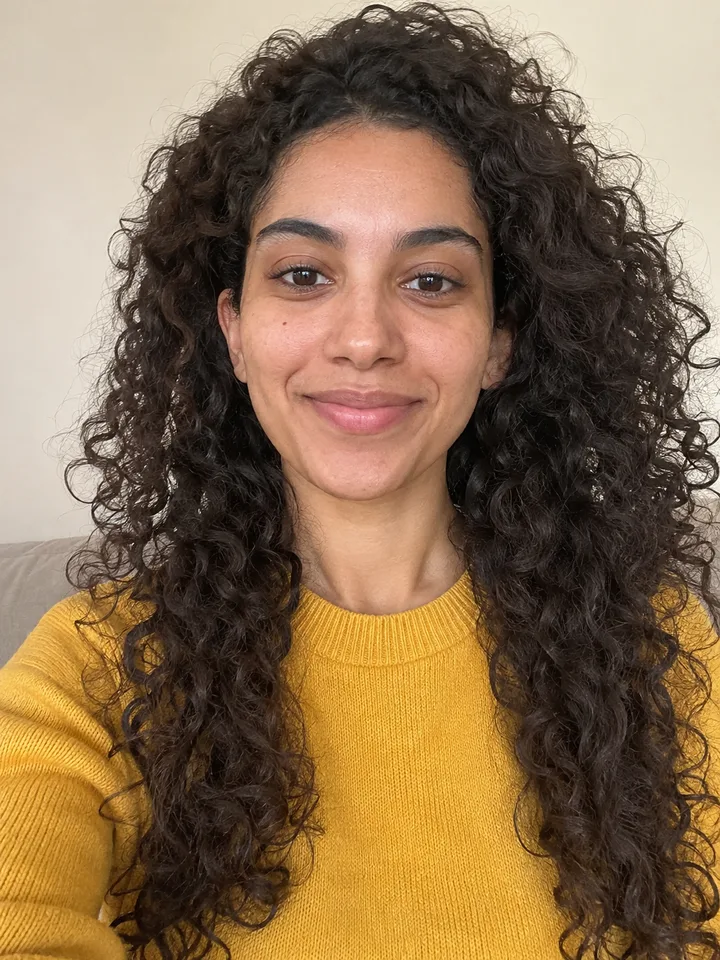
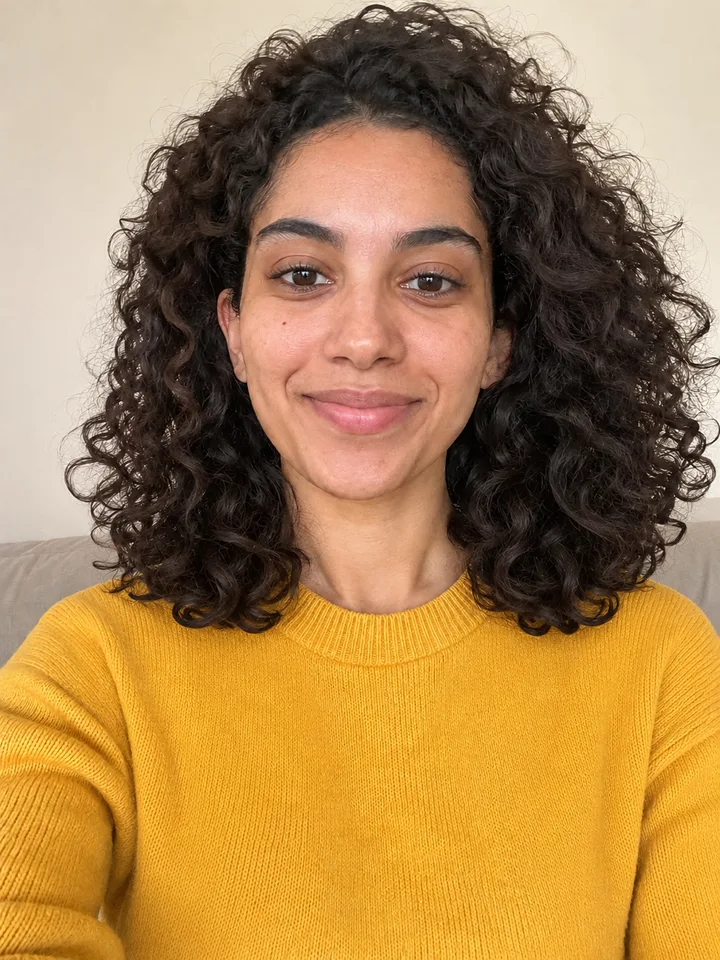
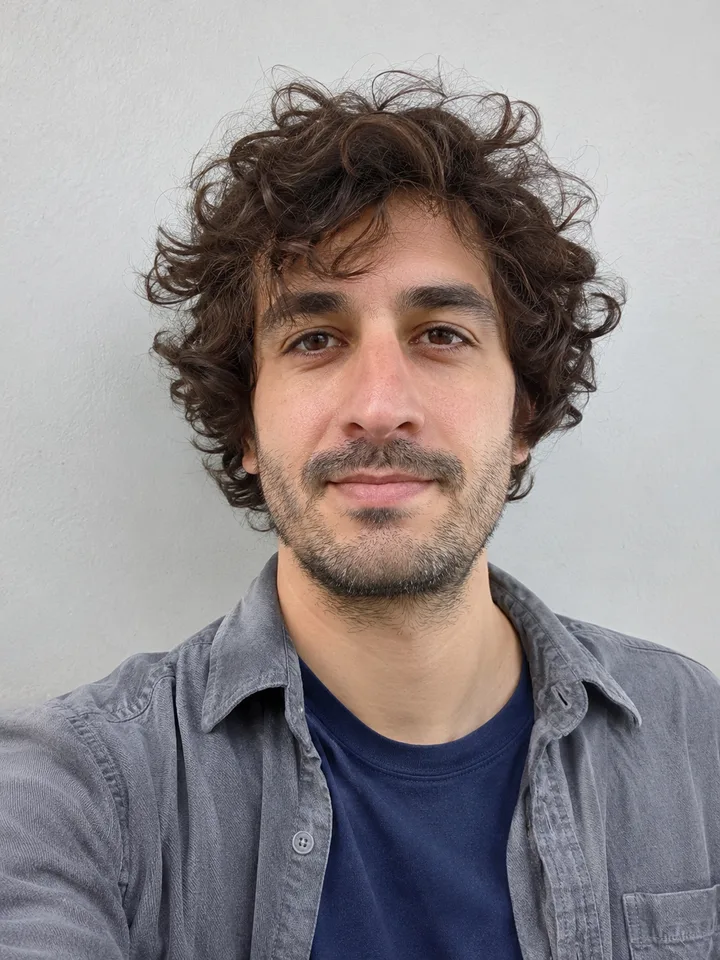
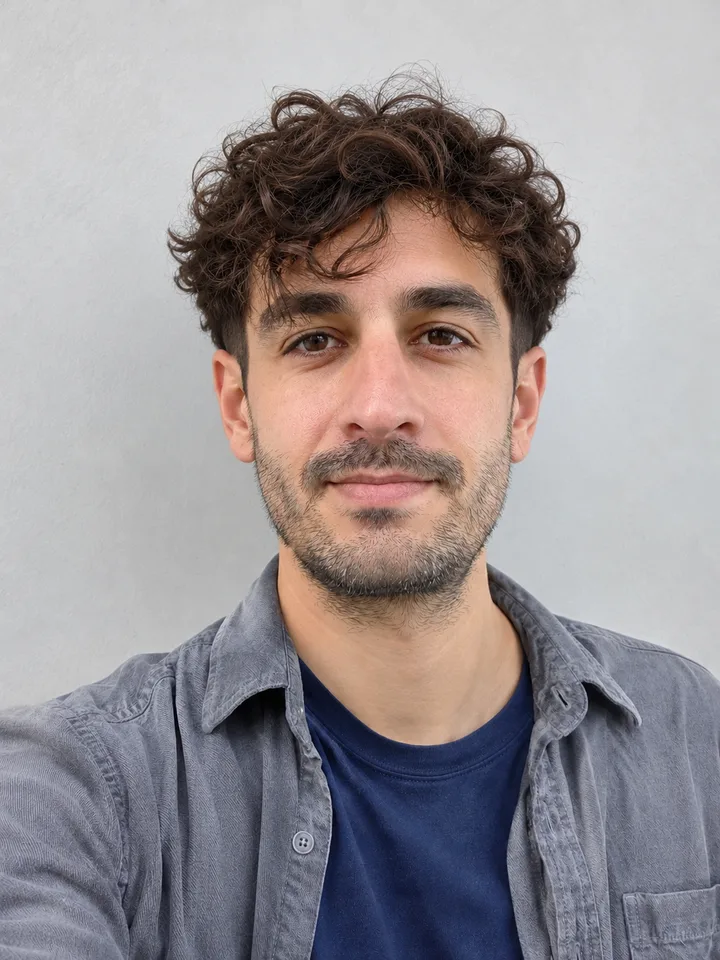
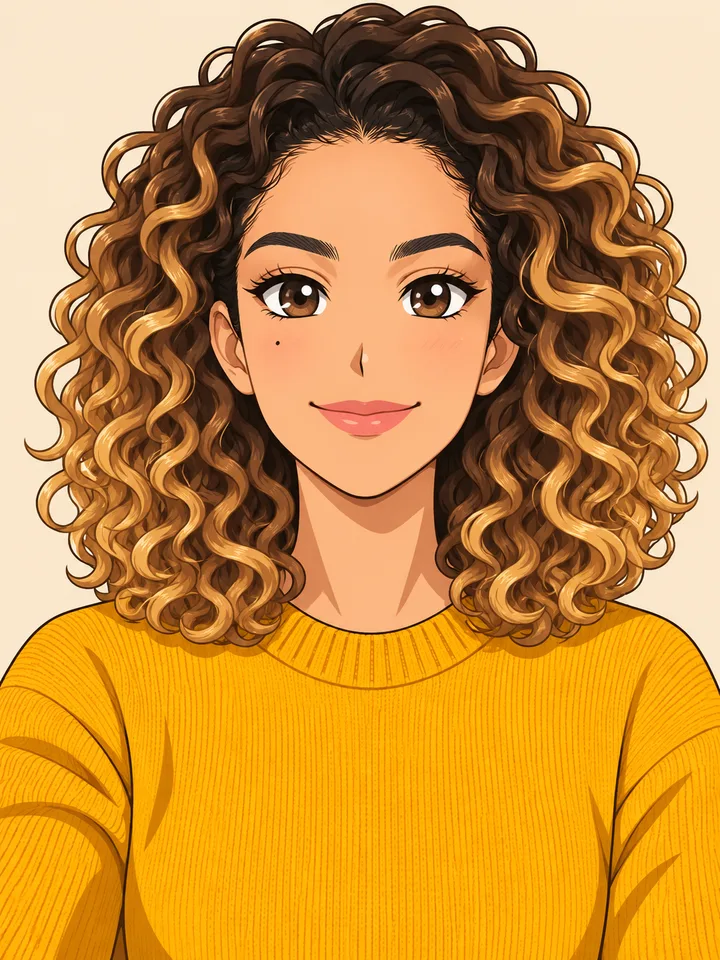
Frizzy long curls turned into shoulder-length layers, grown-out curls with a low taper, the same cut in honey balayage and an anime avatar.
The people in these samples are AI-made adults, not customers. Drag the bar on each card to compare, then press Use this hairstyle to load the scene into the maker.
Before
After
Image only
Layered curls
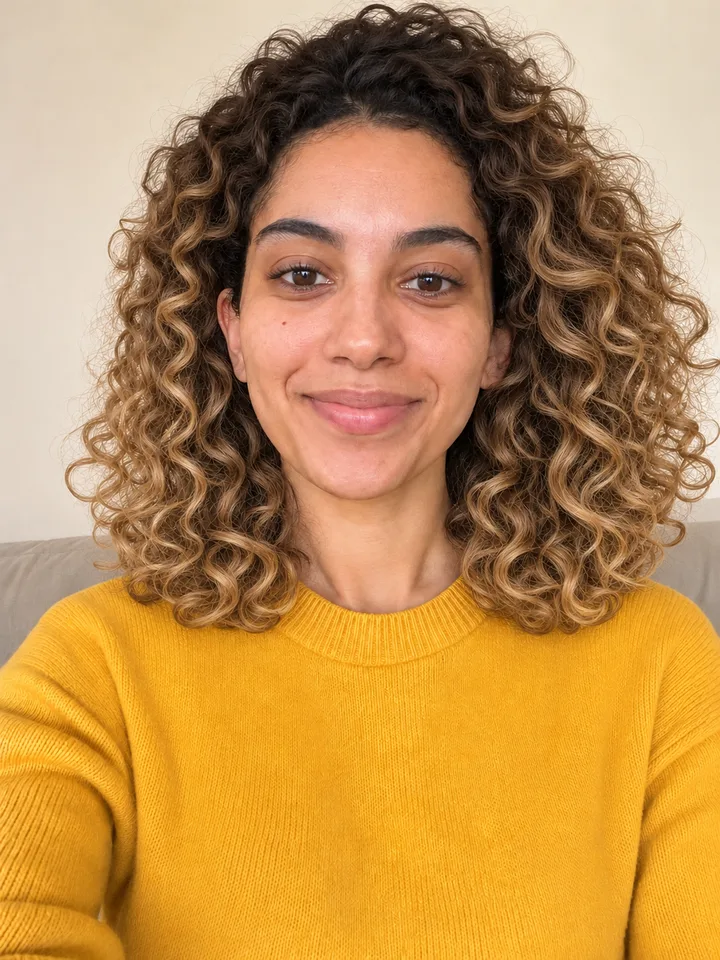
Before: a front selfie with long, frizzy 3B curls falling well past the shoulders. After: shoulder-length layered curls with the same curl and the same dark brown; face, mustard sweater and background untouched.
Before: bushy grown-out curls all over that half cover the ears. After: the curls stay on top at medium length and the sides drop into a short taper with the ears showing; beard, shirt and wall unchanged.
The Honey balayage result redrawn as an anime illustration in our sample workflow: same curls, dark roots with honey ends and the mustard sweater. On the site this step runs in Anime Style.
Upload a recent front photo with your hairline showing, pick a scene or type the cut, press Generate image and compare. Then try another cut on the same photo.
1
The photo
Use a recent photo with your face straight to the camera, even light and the hair visible around your face, with no hat or hand over the hairline. A front photo keeps your face most faithful; a three-quarter photo helps when you want to judge layers at the side.
2
A scene or your own words
Pick Layered curls, Curly taper or Honey balayage, or type your cut in the text box: curtain bangs, long bob, keep my curls. What you type is added to the effect's instruction. If you saved a photo of a cut, add it as a second image in Image.
3
Compare and try another
Press Generate image and look at the result next to your original. Switch the scene or the wording to run another cut on the same photo. The button shows the cost before you generate.
Name your texture and ask to keep it, so the new cut stays curly instead of coming out straight.
Texture and density matter as much as face shape: fine hair looks fuller with blunt ends and a full fringe, thick hair needs weight taken out with care, and curly hair needs weight to hold its shape.
Say your curl type
Name the texture and ask for it to stay. Lines you can paste into the text box:
Waves: keep my waves, long bob with soft layers
Curls: keep my 3B curls, layers at shoulder length
Afro: keep my afro texture, rounded shape, shorter at the sides
Layers that keep the shape
Curls frizz when too many layers come out. Ask for long or shoulder-length layers: in the Layered curls sample the length rises to the shoulders and the curl stays defined.
Curly taper
For men: curls on top at medium length and a low taper at the sides and back. On a round face, more height on top with tight sides makes the shape look longer.
Keep the cut and change only the shade: honey or copper for warm skin, ash tones for cool skin.
To change only the colour, type change only the colour to … or pick Honey balayage. The real dye job still depends on your current colour and whether you need bleach.
Your undertone
Check your skin in daylight with no makeup. Pink or bluish means a cool undertone; golden or peach means warm.
Warm skin: light golden blonde, medium brown with golden highlights, dark brown to black with warm red tones
Cool skin: light ash blonde to medium ash brown
Honey balayage
This scene keeps the cut and curl and moves the colour to honey balayage, natural at the root and lighter through the lengths. In the sample the roots stay dark brown and the ends turn honey blonde; face and sweater do not change.
From preview to dye
The preview shows the effect on your face, not the formula. Your colourist decides in the consultation what your current colour allows and whether lightening comes first.
Find a cut for your face shape in the AI hairstyle changer
Your face shape gives a short list; run two or three of those cuts on one photo and keep the one that still looks like you.
Face shape
Women
Men
Better to skip
Oval
Nearly any cut
Short back and sides, longer top swept off the forehead
—
Round
Long bob, soft layered bob, side-swept bangs with height at the crown
Height on top, tight sides: pompadour, flat top
—
Square
Layers, textured shag, wispy or side-swept fringe
Buzz cut, French crop, quiff, close fade, side part
—
Heart
Blunt bangs, bob with a fringe, face-framing layers
Medium swept styles
Men: very tight cuts
Diamond
Curtain bangs, layers at the cheekbones
Cuts with a fringe
Men: very short sides
Long
Side volume, soft fringe
Moderate height, fuller sides
—
Your face shape
Pull your hair back, look straight on and find your row. Treat it as a starting point, not a rule: texture and density count just as much.
The 2-inch rule
With your hair back, hold a pencil level under your chin and another upright under your earlobe. A gap of 2 inches (about 5 cm) or less usually means short cuts suit you; more than that, medium to long cuts tend to work better.
Cuts for men
Type the cut by name: textured crop with a low fade, buzz cut, quiff with a side part. Run them on the same photo and see which one still looks most like you.
Bring the before, the after and a side view with notes on length and fringe; your stylist checks texture and density.
01
What to show
Have these on your phone:
Your before photo, the one you uploaded.
The after you liked best, downloaded.
A side or three-quarter view that shows the layers at the side.
Short notes on length and fringe, such as “at the shoulders” or “curtain bangs to the brows”.
02
What your stylist decides
The preview puts length, fringe and colour in one picture and helps you explain what you want. Your stylist checks texture, density and how your hair is coloured now in person, and tells you which part of the look is doable.
What does an AI hairstyle changer actually change?
Only the hair in your photo: cut, length, colour or fringe. Your face, skin, clothes and background stay as they were, and you get a new image to set beside the original.
Is there a free way to change my hairstyle with AI?
Live colour filters in beauty apps are usually free, but they only paint over the camera feed. Editors that redraw the hair give a few free tries at most. Here the button shows the cost before anything is created.
Can I see bangs before I cut them?
Yes. Type curtain bangs, side-swept bangs or blunt bangs on the same photo and compare. Curtain bangs often suit diamond faces; blunt bangs often suit heart-shaped ones.
My hair is long. Can I preview it short?
Yes, and long to short is the most believable direction because hair only has to be removed. Short to long means the AI has to invent the length, which is harder. Run the 2-inch test before you book the cut.
Can I use a haircut photo I saved?
Yes. In Image, upload your photo plus the saved cut as a second image, and write that only the hair from the second picture should be copied, not the face.
Where does my uploaded photo go?
It is used to make your result and stays in your history. The privacy policy explains how to delete your account and data. Only upload photos of yourself or of adults who agreed.
Can I try a party hairstyle?
Yes. Type one of these stylist ideas: a low bun with a velvet bow, a sleek low ponytail tied with a velvet string, or a high bubble ponytail. To change the outfit too, use the AI Clothes Changer.