AI Tattoo Generator: Your Pet, Your Sketch or Your Idea as a Tattoo
Pick Pet, Sketch or Watercolour, upload a photo or type your idea and press Generate image: you get a black-ink tattoo design on white to show your tattoo artist.
Your photo or sketch: a photo of your pet or your pencil drawing. Soft Watercolour needs no photo: type the subject in the text box (e.g. my cat Luna, fine line, 8 cm, inner forearm).
AI Tattoo Generator
Models
Gpt
GPT Image 2.5 Flare: text-to-image and reference image editing
3 credits
Text & Image
Image Edit
Nano Banana
Google's cutting-edge image generation model
3 credits
Fast
High Quality
Seedream
ByteDance's latest image generation model
4 credits
Ultra HD
Text & Image
Flux
Flux Kontext standard model with balanced performance
4 credits
Fast
High Quality
Powered by Google Nano Banana Official API
Upload an Image
or Select from
Upload an Image
or Select from
(Optional)
Upload an Image
or Select from
(Optional)
Upload an Image
or Select from
(Optional)
Public Visibility
When this option is enabled, the output image may be selected by AI Generate and published to the Explore.
Notification
This is a notification message
AI Prompt Studio
Professional prompt crafting powered by AI
Loading...
Transform your ideas into perfect prompts with intelligent assistance
Your Creative Brief
Select Your Favorite Prompt
1 / 1
Sample Images
Generating Image...
Task ID:
Status: Processing
0%
💡
Please wait while your image is being generated...
Public Visibility: while it is on, your design may appear in Explore; switch it off before generating if you want to keep it private.
AI tattoo generator samples on Ghibliia
A cat in fine line, a cleaned-up pencil sketch and a September flower in watercolour. Each card shows the input, the scene and what came out; press Use this style to load that scene into the generator.
Before
After
Image only
Pet in Fine Line
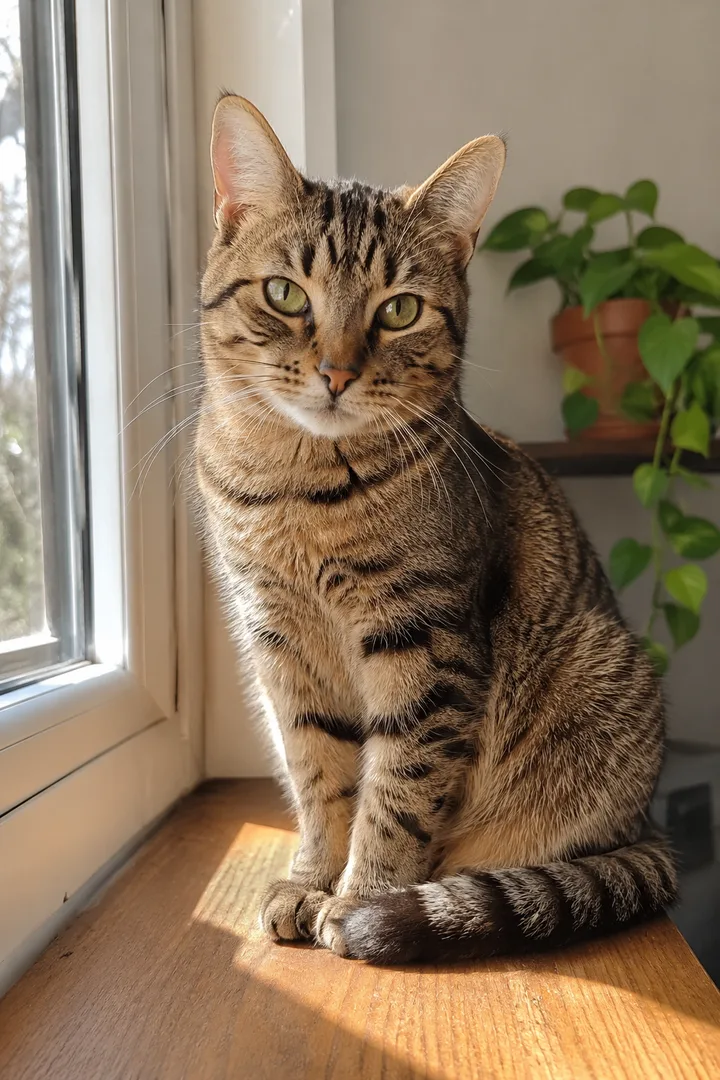
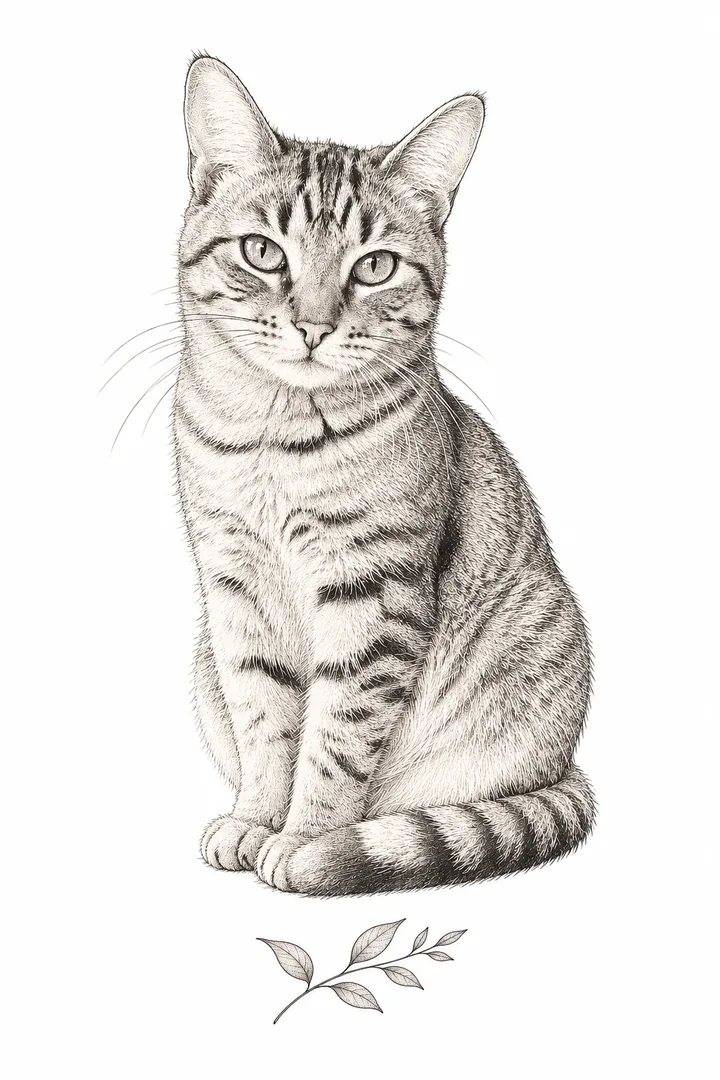
Input: a photo of a tabby cat by a window. Output: a fine line portrait that keeps the cat's stripes, whiskers and gaze, with fine hatched shading and a small leaf sprig below, on white.
Made with GPT Image 2.5 Flare in the sample workflowUse this style
Before
After
Image only
Your Sketch, Cleaned
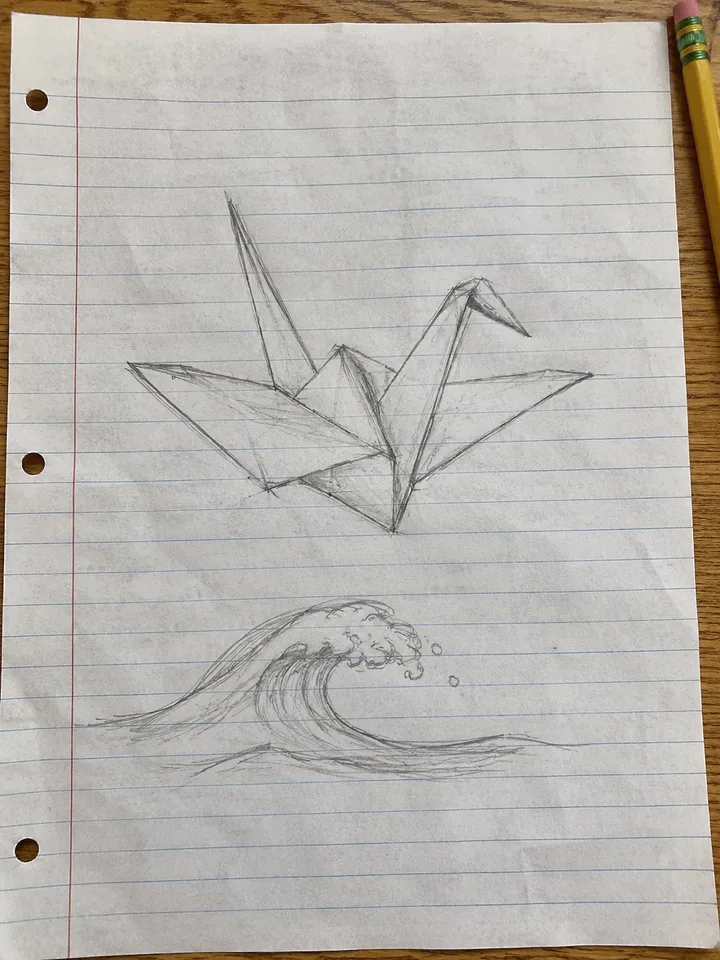
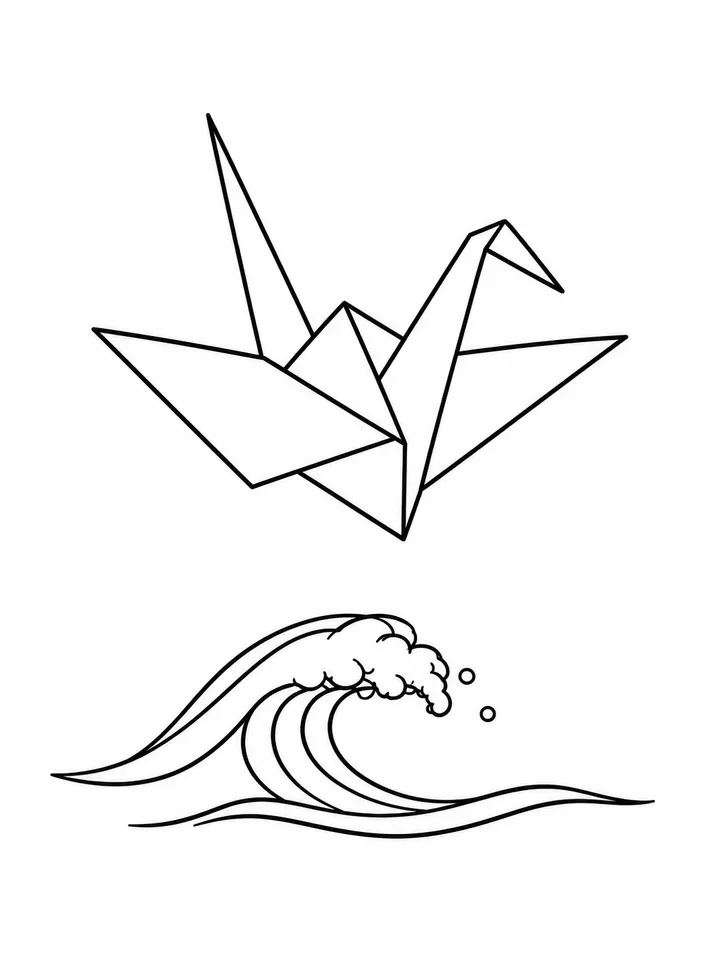
Input: a photo of a pencil sketch on lined paper, a paper crane above a wave. Output: the same shapes in even black lines, with the paper and notebook lines gone.
Made with GPT Image 2.5 Flare in the sample workflowUse this style
Image only
Soft Watercolour
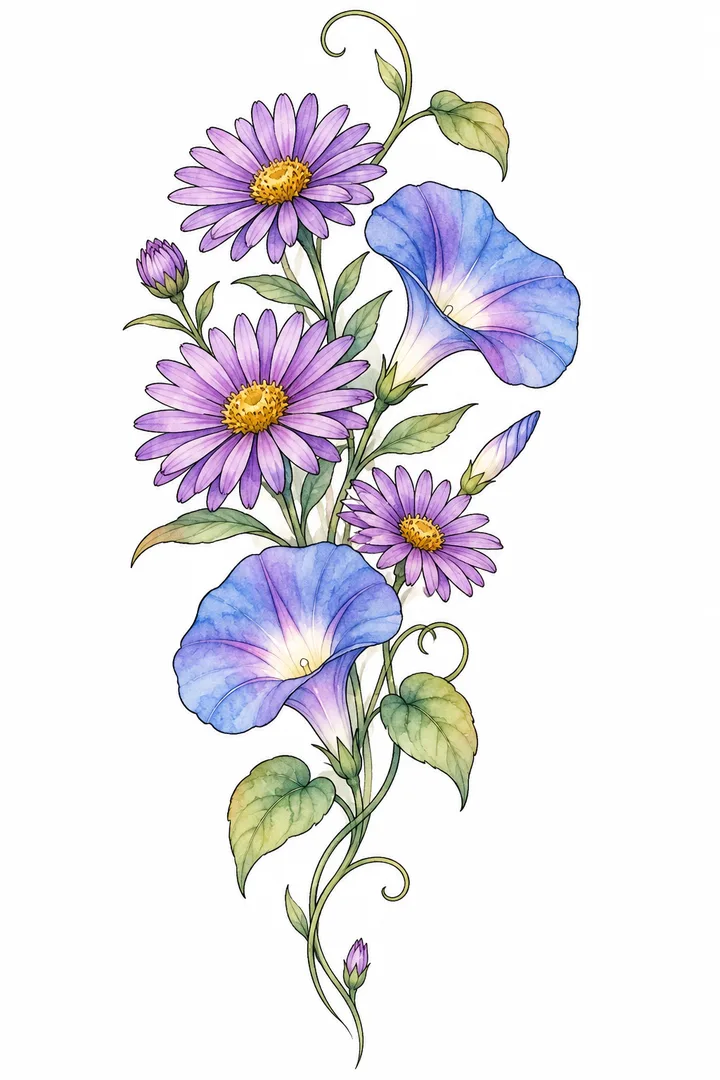
No photo, text only: September flowers, purple asters and blue morning glories on a curling stem, soft colour inside thin outlines, laid out vertically for the forearm.
Made with GPT Image 2.5 Flare in the sample workflowUse this style
How to use the AI tattoo generator
Pick a scene, upload a photo or type the idea, press Generate image, then change one word and run it again.
1
Pick the scene
Pet in Fine Line for dog and cat photos, Your Sketch, Cleaned for pencil drawings and Soft Watercolour for colour inside a black outline. The scene puts its own instruction in front of what you type.
2
Upload or describe your tattoo
Upload the photo, or write the subject, the style, the line weight or shading, the layout (single motif, band or vertical piece) and any words in quotes. Example: My cat Luna, fine line, 8 cm, inner forearm.
3
Adjust and run it again
If a line is missing or extra, change a single word and generate again. The 3:4 portrait frame suits a forearm piece. To combine several reference photos, use Image.
Upload a sharp photo with the face and ears clear, pick Pet in Fine Line and ask it to keep the markings.
Your pet's photo
Daylight, the face toward the camera and both ears inside the frame. A blurred or backlit photo gives a portrait with made-up features.
Fine line or watercolour
Fine line keeps stripes and fur as black strokes; for colour, switch to Soft Watercolour and describe your pet in the text box.
Where it sits well
A small fine line portrait usually goes on the inner forearm, wrist, collarbone or back of the neck. Leave open skin around the eyes and whiskers: very thin lines lose sharpness as they heal.
From sketch to design with the AI tattoo generator
Photograph the drawing in good light, upload it to Your Sketch, Cleaned and ask it to keep every shape.
Photograph the drawing
Lay the sheet flat in daylight with no shadow from your hand, and shoot from straight above so the proportions stay true; notebook lines are removed in the result.
Ask it to keep the shapes
Image generators tend to redraw a sketch their own way. The scene already asks to keep every shape and add nothing; if something still moves, name what must stay (for example, the crane's left wing) and leave open space between small details.
Fine line for small pieces, watercolour for soft colour inside a black outline, and the flower of your birth month.
Month
Main flower
Second flower
January
Carnation
Snowdrop
February
Violet
Primrose
March
Daffodil
Jonquil
April
Daisy
Sweet pea
May
Lily of the valley
Hawthorn
June
Rose
Honeysuckle
July
Larkspur
Water lily
August
Gladiolus
Poppy
September
Aster
Morning glory
October
Marigold
Cosmos
November
Chrysanthemum
—
December
Narcissus (paperwhite)
Holly
Fine line
Single-needle strokes with no large fills. It looks crisp on day one and softens as it heals, so not every line should be equally thin. Other styles you can type: American traditional, neo-traditional, Japanese, blackwork, minimalist, geometric, black-and-grey realism, dotwork, tribal and script lettering.
Watercolour
Soft washes of colour inside a thin black outline, with open skin around it. Type the subject in the text box; no photo needed.
Birth flower by month
It follows your birth month and is not the same as a zodiac flower. Add a name under the stem or bundle your family's months into one bouquet: pick Soft Watercolour and type the flowers in the text box.
Take your AI tattoo generator design to the artist
Bring a high-resolution PNG, check every letter, and the artist redraws it as a stencil for your skin.
01
What to bring to the studio
The high-resolution PNG with clean lines.
The size you want, in centimetres.
A clear, well-lit photo of the spot on your body.
Every letter checked one by one.
02
Names and dates
An image model can bend letters or misspell words. Put the exact text in quotes, keep it short, check each letter and let the artist set the final script.
03
A design of your own
Asking for another artist's tattoo, a famous character or a logo copies someone else's work, so describe your own idea. In the US, the Copyright Office and Thaler v. Perlmutter (2025) require a human author for registration; your own changes and arrangement are judged case by case.
A tattoo-style drawing in black ink on a plain white background, made from your words or a photo in a few seconds. You reword the prompt and run it again until it fits.
Can I use a photo of my dog or cat?
Yes. Use a sharp, well-lit photo where the face and ears are clear, and pick Pet in Fine Line.
Will names come out spelled right?
Not always. Put the name in quotes, check every letter before the appointment and let the artist choose the final lettering.
Which flower belongs to my birth month?
It depends on the month: October is marigold and cosmos, May is lily of the valley. It is not your zodiac flower; the table on this page lists all twelve months.
Can I ask for a famous anime character or a brand logo?
Better not: that is someone else's work. Describe your own idea or an original creature instead.
Can I preview it on my arm?
Yes: in Image, upload a photo of your arm and the design as two references. You will see size and placement, not how it looks once healed.
Does it work for matching tattoos with a friend?
Yes. Ask for two halves of one idea that each look complete on their own, such as a sun and a moon.