Upload a waist-up photo or your dog's and press Generate video: it freezes on a flash and turns into a painted poster. Unofficial fan style, not tied to the game's publisher.
A 10-second 480p clip with Seedance 2 Mini costs 40 credits. The $9.90 pack has 250 credits, enough for 6 of these clips. Packs are one-time purchases, not a subscription, and credits do not expire. See credit packs
Scene
One person, waist up, sharp face, daylight
GTA 6 Loading Screen
Models
Seedance Series
Seedance 2 Mini: text, frame and media reference video generation
0 credits
4–15s
Media references
Veo Series
Google's latest model with exceptional quality output
150 credits
Up to 8s
16:9/9:16
Upload Image
JPEG / PNG (Max 5MB)
Upload Image
JPEG / PNG (Max 5MB)
(Optional)
Upload Image
JPEG / PNG (Max 5MB)
(Optional)
Upload Image
JPEG / PNG (Max 5MB)
(Optional)
With one image, Grok follows the image aspect ratio.
Seedance and MiniMax also bill the actual duration of input videos. Documents: maximum 50 pages.
10s
Public Visibility
When this option is enabled, the output video may be selected by AI Generate and published to the Explore.
GTA 6 loading screen AI clips: a man by his car, a dog
A man in a linen shirt by a dark blue sedan and a brindle dog on a boardwalk, each real for a few seconds, then frozen on a white flash and painted with palms, black outlines and an orange sky; vertical clips of about 9 seconds.
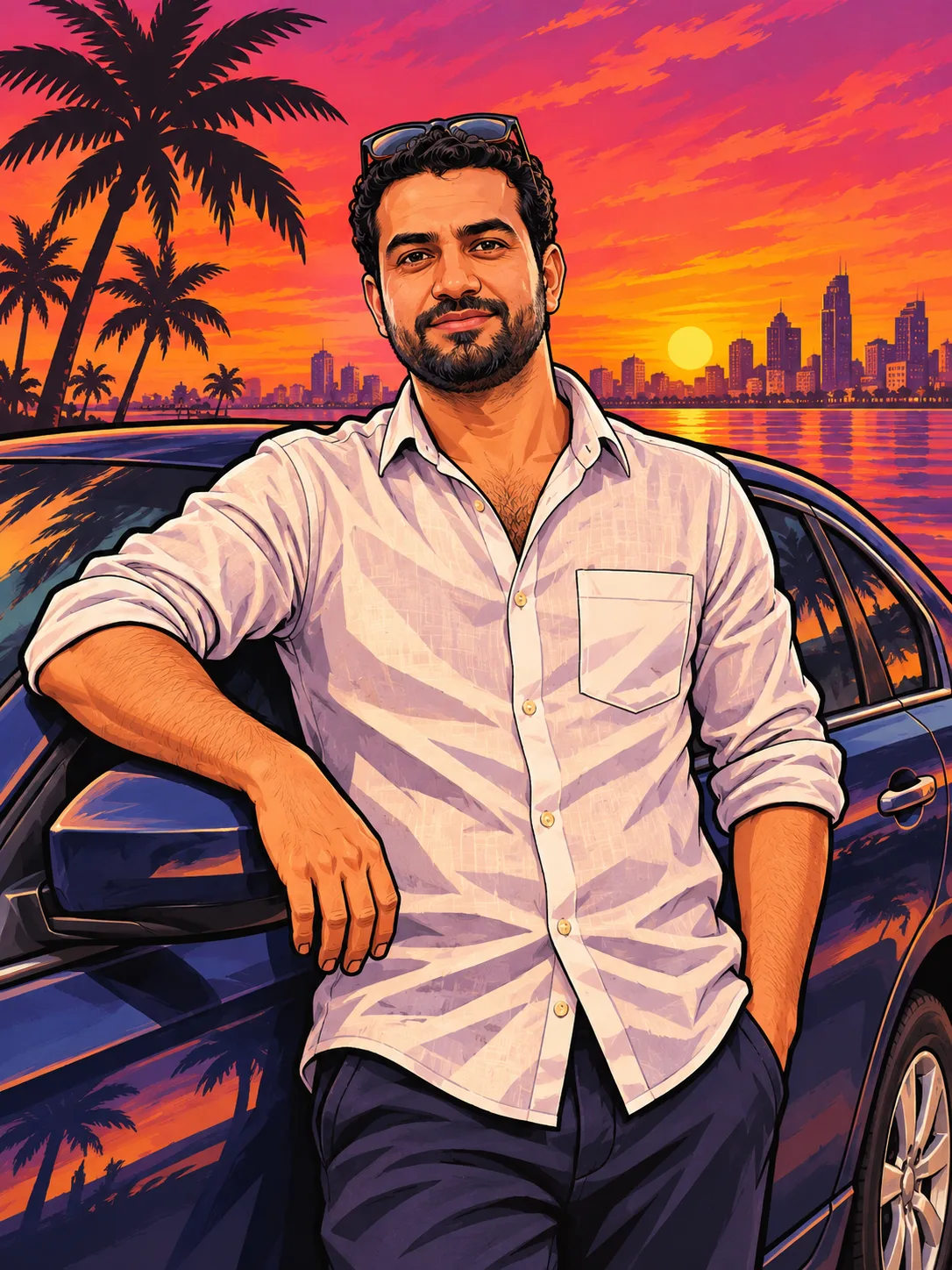
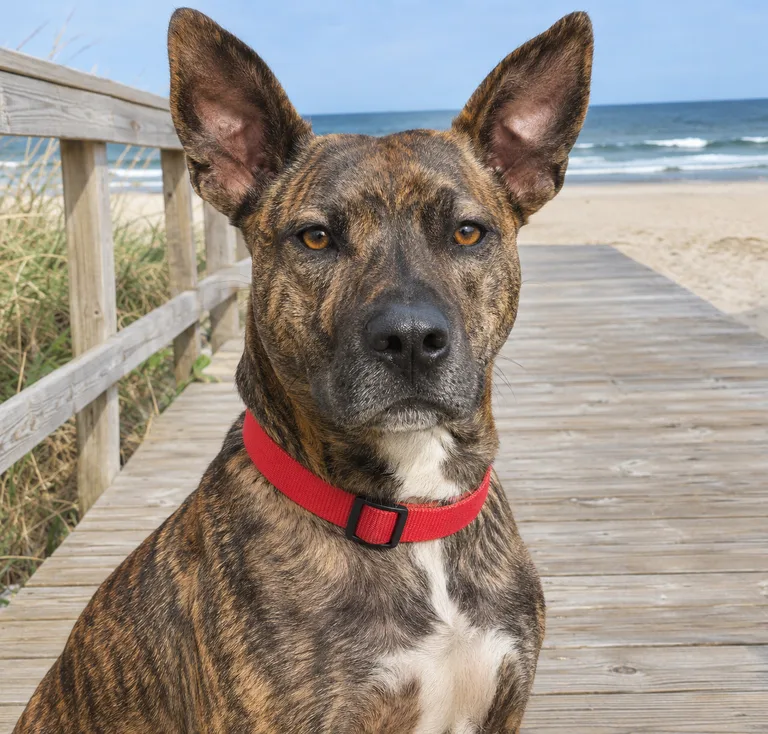
The man and the dog are original AI creations, not customers, real people or game characters. By the sedan starts from a waist-up photo of the man with his arm on a dark blue sedan in a parking lot lined with trees, sunglasses pushed up on his head; Dog on the boardwalk from a photo of a brindle dog with upright ears and a red collar, sitting on a wooden boardwalk by the beach and facing the camera. Each photo was first turned into the painted poster in Image, image to image; then, in Video, the photo became the first frame and the poster the last. Both are vertical 9:16 clips made with Seedance 2.0 Fast: 9.5 seconds for the man and 9.1 for the dog.
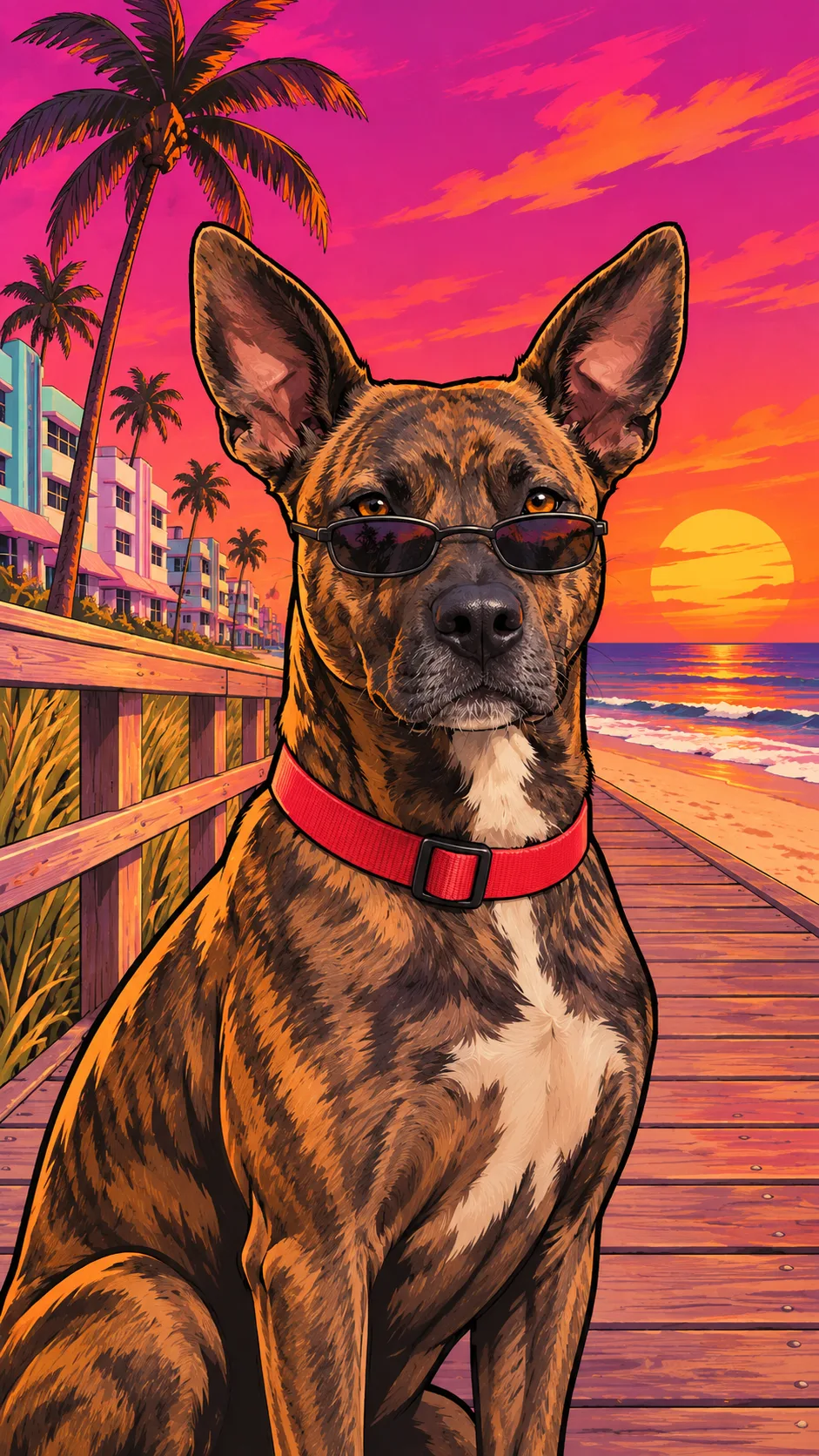
By the sedan: 0–3.5 s, real footage: he leans on the car wearing his sunglasses, hand on them at the start, and looks into the camera; around 3.8 s the picture freezes on a white flash; by 4 s it is a drawing with thick black outlines, an orange-pink sunset, palm trees and a coastline of buildings behind him; around 4.75 s the sunglasses move up onto his head and the poster holds while the camera pushes in slowly; around 9 s it fades to dark. Dog on the boardwalk: 0–2.75 s, real footage of the dog facing the camera with its ears up; around 3 s, a white flash; from 3.25 to 4 s the black outlines are drawn one by one; around 4.5–5 s the sky turns magenta and orange and palm trees and pastel beachfront buildings appear; from 6 s it wears small sunglasses and the poster holds. In the real part, the dog has no sunglasses.
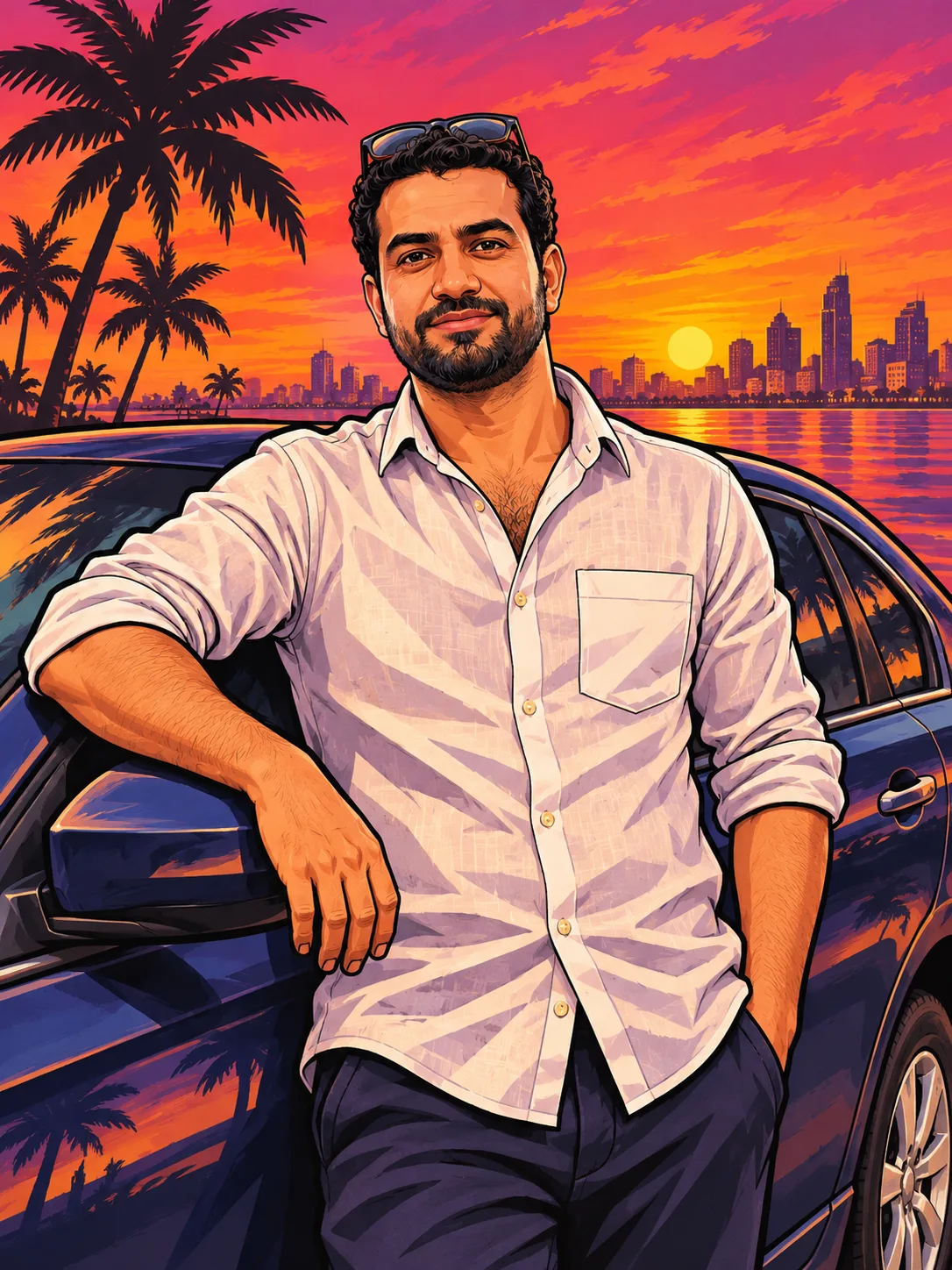
At no point is there a title, lettering, logo, map, markers, mission text or any game character. The music is an original wordless synthwave track. Poster by the sedan is an image only: the man's poster made in Image from his photo and used as the clip's last frame; you can do the same in Image. Use this scene →
PhotoStillVideo
By the sedan
A man in a white linen shirt leans on a dark blue sedan and looks into the camera, hand on his sunglasses; the picture freezes on a white flash and turns into a painting with thick black outlines, an orange-pink sunset, palm trees and the coast behind him; his sunglasses move up onto his head and the poster pushes in slowly.
A brindle dog with upright ears and a red collar looks into the camera on a wooden boardwalk; a white flash, black outlines drawn stroke by stroke, a magenta and orange sky with palm trees and pastel beachfront buildings, and at the end it wears small sunglasses.
The painted poster of the same man, made beforehand in Image from his photo with AI image-to-image: black outlines, an orange-pink sunset, palm trees and the coast; in the sample clip it is the last frame.
Still made in Image; this scene has no clip. Use this photo
One photo to a GTA 6 loading screen AI clip
Upload a sharp waist-up photo in daylight, choose By the sedan or Dog on the boardwalk and press Generate video; you download a vertical MP4.
1
The photo
One person, waist or knees up, facing the camera or turned slightly toward it, with a sharp face and daylight. Your outfit and your pose carry into the poster; the background gets repainted with the sunset, so it matters less than your face and the light.
One person or one dog
Waist or knees up
Daylight, no sunglasses over the eyes
A photo of yourself or your own dog
2
The scene
Above the photo box, pick By the sedan for a person: orange-pink sunset, palm trees and coast; or Dog on the boardwalk for your dog: magenta and orange sky, pastel buildings and small sunglasses. Leaning on a car or crossing your arms in the photo gives it that loading-screen feel.
3
Create and download
Press Create video. The model, the duration and the credits show on the button before you create. When it finishes, press Download to get a vertical MP4.
The scene starts from a single photo: the model freezes it, flashes it and paints it on its own, so your poster can come out different from the samples. For something closer, do what the samples did: make the poster first in Image from your photo, then in Video set your photo as the first frame and the poster as the last, with a model that takes a first and a last frame.
Per one peer page, a CapCut template called “Your GTA 6 loading screen”: its sound appeared on 27 August 2026, the first post that took off came on 28 September and the wave hit in November, before the 19 November release.
The template and the first post
Painted character portraits have been part of the series' loading screens for over 20 years. In 2025 people started asking ChatGPT for a realistic portrait in that style, and a tutorial sharing such a prompt is dated 24 July 2025. On TikTok the trend came from a CapCut AI template called “Your GTA 6 loading screen”: its sound appeared on 27 August 2026, and the first post that took off, “Life as a GTA character”, went up on 28 September and had 30,900 views by 15 November, according to makeviral.ai.
The big wave came in November, once the release was set for 19 November 2026: a post from 8 November reached 117,300 views, another from 10 November 198,100, and by 15 November the template's sound was on 8,931 videos and the GTA filter hashtag on 28,669. Another peer page tells it differently: it says people started posting themselves as a loading screen in launch week.
What people type
People call it GTA 6 loading screen, your GTA 6 loading screen, GTA 6 loading screen edit, GTA character filter or life as a GTA character, and the AI version gta 6 loading screen ai. Others search for a gta 6 filter, a gta chatgpt prompt or an ai gta 6 photo generator. This page covers both: the clip from your photo up top and the prompt for the picture further down.
A ChatGPT prompt for a GTA 6 loading screen AI poster
Ask for a hand-painted action-game loading-screen picture of the same person, with thick black lines, flat colour, an orange-pink sunset, palm trees, the coast behind and no lettering, logos or interface.
The prompt to copy
It is adapted from the prompt that painted the By the sedan poster, written for any person instead of the man in the sample. Paste it as is into Image or ChatGPT, add your photo as the reference and choose a vertical format.
Turn the reference photo into a hand-painted crime-action video game loading-screen illustration of the same person: keep the face, hair and clothes from the photo. Thick black ink outlines, flat cel shading, a saturated orange-pink sunset sky, silhouetted palm trees and a coastal city skyline behind, confident pose leaning on a car. An original poster artwork, not a screenshot: no title, no game logo, no letters, no HUD, no game characters. Vertical 9:16. No text, no logos, no real celebrities.
It names no cities, characters or studios: image tools tend to refuse brand names, which is why one peer page swapped those names for neutral words. ChatGPT gives you a still picture, not the moving clip; for the clip, use the scene above.
Changes for your dog
Swap the person for the dog, add small sunglasses and move it to the boardwalk. This prompt is adapted from the one that painted the Dog on the boardwalk poster:
Turn the reference photo into a hand-painted crime-action video game loading-screen illustration of the same dog: keep its face, ears, eye colour, coat and collar, natural dog proportions. Thick black ink outlines, flat cel shading, it wears small dark sunglasses and sits on a beach boardwalk with a saturated magenta and orange sunset, palm trees and pastel beachfront buildings behind it. An original poster artwork, not a screenshot: no title, no game logo, no letters, no HUD, no game characters. Vertical 9:16. No text, no logos, no real celebrities.
No. It is an unofficial fan-style effect with no link to the publisher: your face painted in a similar style, with no lettering, no logo, no map or game text, none of the game's characters, and original music.
Made by fans
This effect is an unofficial fan-style play and is not affiliated with the game's publisher or its studio. The real loading screens are the publisher's own work; what you get here is fan art made from your photo. The man and the dog in the samples are original AI creations, not game characters.
What your poster leaves out
Your poster keeps your face, your outfit and your pose, with a painted sunset, palm trees and coast.
No game title or logo
No map, markers or mission text
No game characters
No songs from the game: an original wordless synthwave track plays
Caption and music for your post
In the original posts, the title line and the game logo came from the CapCut template, not from the AI picture. Your poster has no lettering, so you write the caption yourself when you post, for example “My loading screen”.
The original posts carried the template's own sound. If you want a track of your own, make it in Music. More ideas in all video effects.
Not an official one. On TikTok people use a fan-made CapCut template. Here you upload one photo and the scene turns it into a vertical clip where your photo freezes and gets painted as a poster; it is an unofficial fan effect, not affiliated with the publisher.
Which photo works best for a loading screen?
A sharp photo from the waist or knees up, facing the camera or turned slightly toward it, in daylight and without sunglasses over your eyes (regular glasses are fine). One person per photo. If you lean on a car or cross your arms, the poster keeps that pose and your outfit.
Can I do it with my dog?
Yes. Pick Dog on the boardwalk and upload a photo of one dog with its whole face in view, in daylight. In the poster it wears small sunglasses in front of a beach sunset; in the real part of the clip it has none, just like in your photo.
Does it come with the game's logo or title?
No. The title in the original posts came from the CapCut template; your poster has no lettering, no logo and no game interface, and you add your own caption when you post.
Will my clip look exactly like the samples?
Not exactly. The samples used two pictures: the photo as the first frame and a poster made beforehand in Image as the last frame. The one-click scene uses only your photo and the model paints the poster on its own, so the drawing, the background and the timing can change. For something closer, make the poster first in Image with the prompt above, then in Video set your photo as the first frame and the poster as the last, with a model that takes a first and a last frame.
How much does it cost?
A 10-second 480p clip with Seedance 2 Mini, the default here, costs 40 credits (4 credits per second). Other lengths run from 16 credits (4 s at the lowest resolution) to 135 credits (15 s at the highest). Credit packs start at $9.90 for 250 credits (about 6 clips) and go up to $49.90 for 2200 credits (about 55 clips). Packs are one-time payments with no subscription, credits do not expire, and a Seedance 2 Mini run that fails returns its credits. The Generate button shows the cost before you confirm.